

MS Scheduling

BMS & Control Automated Logic Integration
MS Scheduling
SOFTWARE SOLUTIONS

MS Scheduling

Microsoft Outlook‑based scheduling for smarter building operation

MS Scheduling allows WebCTRL® users to manage HVAC and lighting schedules directly through Microsoft Outlook, improving occupant comfort while reducing energy consumption through intelligent occupied and unoccupied control.

MS Scheduling

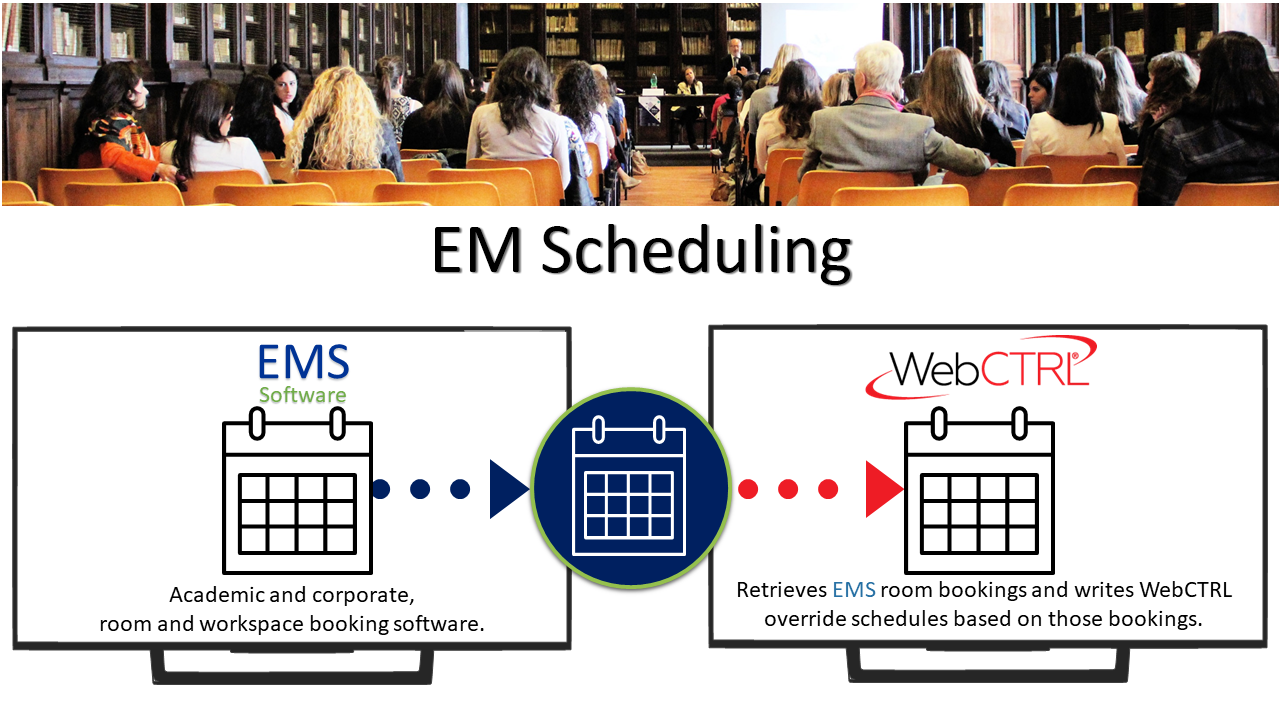
The MS scheduling add-on uses Microsoft® Exchange Web Services (EWS), to read Outlook room reservations from the Microsoft Exchange server. As Outlook room reservations are read from the Exchange server, they are written to the WebCTRL building automation system. They are then used to operate heating, cooling, and lighting systems in the room based on the desired schedule, promoting optimized comfort for occupants and energy savings for building managers.

MS Scheduling

Microsoft Outlook Integration

Allows the building automation system to be scheduled using Microsoft Outlook, leveraging familiar calendar tools.

Occupancy‑Based Comfort Control

Keeps occupants comfortable by automatically turning HVAC and lighting systems on when rooms are scheduled for use.

Energy‑Efficient Operation

Promotes energy savings by maintaining room temperatures within a defined range during occupied and unoccupied periods.

Simplified Scheduling Workflow

Eliminates the need for separate BAS scheduling interfaces by using existing Outlook meeting and room schedules.

Scheduling Interface

Uses Microsoft Outlook calendars as the scheduling interface for building automation control.

Controlled Systems

Supports scheduling of HVAC and lighting systems based on room and space usage.

Occupancy Logic

Schedules are translated into occupied and unoccupied operating modes within WebCTRL®.

Energy Management Support

Maintains temperature setpoint ranges during unoccupied periods to reduce energy consumption.

Document Name Description Document Type Language Action
Spec Sheet MS Scheduling Spec Sheet PDF English Download
What is the primary purpose of MS Scheduling?

It enables building system scheduling through Microsoft Outlook, simplifying scheduling while improving comfort and energy efficiency.

Do users need special training to use MS Scheduling?

No. Users can schedule rooms using standard Outlook calendar functions.

How does MS Scheduling help save energy?

It ensures systems operate only when spaces are in use and maintains energy‑saving temperature ranges when spaces are unoccupied.

Is MS Scheduling suitable for conference rooms and shared spaces?

Yes. It is ideal for meeting rooms, classrooms, and shared spaces scheduled through Outlook.

Similar Products

How Can We Help?

Have a question that doesn’t fit a specific category? Reach out to our team here for all other support
and information

    Become a Dealer

    Get directed to our Business Development team to start the authorization process and discuss sales support.

    Technical Assistance

    Get specialized help with system sizing, load
    calculation analysis, and technical data required for project design.

    Aftermarket Service

    Request support for warranty claims,
    scheduled maintenance, and genuine spare
    parts ordering.

    For more information : ahi@ahi-carrier.com