

Trend Export

BMS & Control Automated Logic Integration
Trend Export
SOFTWARE SOLUTIONS

Trend Export

Flexible export of trend data for analysis beyond WebCTRL®
Trend Export enables users to easily extract historical trend data from the WebCTRL® system for external analysis, reporting, and long‑term record keeping using common, accessible data formats.

Trend Export

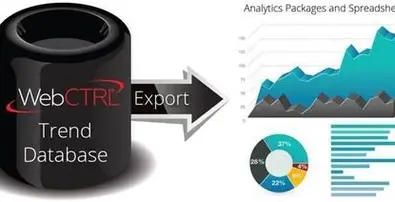
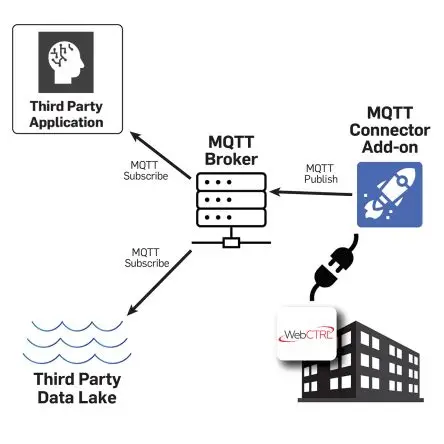
The Trend Export add-on allows you to specify, manage, and export trend data from the WebCTRL building automation system so that it can be analyzed externally using third party analytics packages or tools. Trend data can be exported on-demand or at scheduled intervals. This provides building operators with a simple and powerful way to view their important building data inside their visualization tool of choice.

Trend Export

Flexible Export Formats

Supports export of trend data to a database or standard .CSV file format, making data easy to use outside the WebCTRL® system.

Multiple Export Options

Supports daily, hourly, and on‑demand trend export scheduling to match reporting requirements.

Incremental Scheduled Exports

Scheduled trend exports include only new historical data received since the last export, reducing file size and duplication.

Grouped & Scheduled Trends

Trend data can be grouped and scheduled, providing added flexibility for managing large numbers of trend points.

Export Formats

Trend data can be exported in .CSV format or written directly to a database for external use.

Export Frequency

Supports hourly, daily, and manual (on‑demand) export schedules.

Scheduled Export Behavior

Scheduled exports are incremental, containing only data collected since the previous export.

System Integration

Operates as part of the WebCTRL® building automation system, maintaining consistent data integrity and structure.

Document Name Description Document Type Language Action
Spec Sheet Trend Export Spec Sheet PDF English Download
What is the primary purpose of Trend Export?

It allows users to export historical trend data from WebCTRL® for external analysis, reporting, and archiving.

Which file formats are supported?

Trend data can be exported in CSV format or written to a database.

Can exports be scheduled automatically?

Yes. Exports can be scheduled hourly or daily or run manually on demand.

Can multiple trend points be exported together?

Yes. Trend points can be grouped and exported together for easier management.

Similar Products

How Can We Help?

Have a question that doesn’t fit a specific category? Reach out to our team here for all other support
and information

    Become a Dealer

    Get directed to our Business Development team to start the authorization process and discuss sales support.

    Technical Assistance

    Get specialized help with system sizing, load
    calculation analysis, and technical data required for project design.

    Aftermarket Service

    Request support for warranty claims,
    scheduled maintenance, and genuine spare
    parts ordering.

    For more information : ahi@ahi-carrier.com